
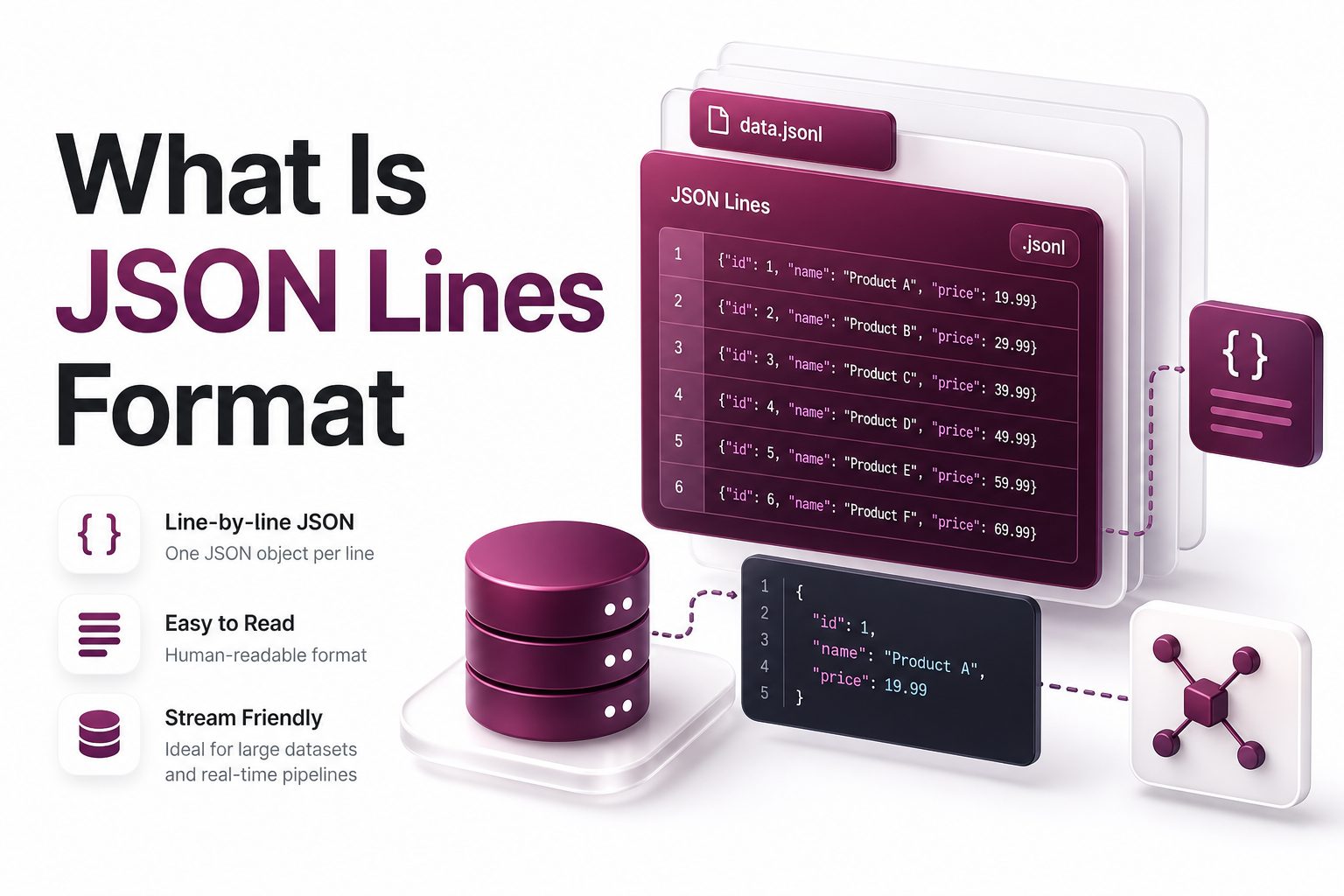
JSON Lines is a text-based data format where each line contains one valid JSON value. Most commonly, each line is a separate JSON object, making the file easy to read, stream, append, and process one record at a time.
The format is often saved with the .jsonl extension, though .ndjson is also common. It is widely used in logs, data exports, machine learning datasets, analytics systems, and data pipelines where records arrive continuously.
Unlike a standard JSON array, JSON Lines does not require the whole file to be loaded before processing. A program can read the first line, parse it, handle it, then move to the next line efficiently.
How JSON Lines Works
A JSON Lines file stores data as separate JSON entries, one per line. Each line must be valid JSON on its own, so a parser can treat every line as an independent record without needing surrounding brackets or commas.
For example, one line may contain a user record, the next line may contain an order record, and another line may contain an event record. The newline character separates records, not JSON syntax such as commas.
This structure makes the format practical for large files. If a file contains millions of records, software can process it line by line, reducing memory usage and making errors easier to isolate.
Key Format Rules
- Each line must contain one complete, valid JSON value.
- Blank lines should be avoided because they may break parsers.
- UTF-8 encoding is the expected standard for reliable compatibility.
- Each record is usually a JSON object, although arrays, strings, numbers, booleans, and null can also be valid.
- The file commonly uses .jsonl or .ndjson as its extension.
JSON Lines Compared With Regular JSON
Regular JSON often stores many records inside one large array. That structure is clean for small datasets, but it can become inefficient when the file grows because the entire document must remain valid as one complete JSON value.
JSON Lines separates each record onto its own line. This removes the need for commas between records and avoids wrapping the entire file in square brackets. The result is simpler for streaming, logging, and incremental writing.
A standard JSON file is usually better for configuration files, API responses, and small structured documents. JSON Lines is better when data arrives continuously or when each record can be processed independently.
Why Developers Use JSON Lines
Developers use JSON Lines because it is simple, flexible, and efficient. It keeps the readability of JSON while adding a practical structure for high-volume systems that need to handle records one at a time.
The format is friendly to command-line tools. Developers can use common utilities to count lines, filter records, split large files, or inspect small samples without needing a specialized database or complex parser.
It also works well across programming languages. Python, JavaScript, Go, Java, Ruby, and many other languages can read a file line by line and parse each record using standard JSON libraries.
Common Benefits
- Lower memory usage when processing large datasets.
- Easy appending because new records can be added as new lines.
- Better fit for logs, event streams, and batch exports.
- Simple debugging because one broken record affects one line.
- Strong compatibility with existing JSON tools and libraries.
Common Use Cases
JSON Lines is often used for application logs because each log event can be written as one JSON object. This makes logs structured, searchable, and easier to send into monitoring or analytics platforms.
Data engineering teams use it for pipelines, exports, and imports. A service can write records continuously, while another system reads and processes them without waiting for a complete file to be finalized.
Machine learning teams also use JSON Lines for training and evaluation datasets. Each line can represent one example, prompt, label, document, or metadata entry, making large datasets easier to shuffle, split, and validate.
JSON Lines File Example
A simple JSON Lines file may contain user activity events. Each line has a timestamp, user ID, action, and page. The file remains readable, and every line can be parsed as a separate JSON object.
what is json lines format
what is json lines format
what is json lines format
This file is not a single JSON array. There are no commas between records and no surrounding brackets. Each line stands alone, which allows software to read or write records independently.
Best Practices For JSON Lines
Keep each line compact and complete. Pretty-printed JSON with line breaks inside one object should not be used because the format relies on each physical line representing one full JSON value.
Use consistent field names across records whenever possible. While JSON Lines allows flexible schemas, downstream systems become easier to manage when records follow predictable naming, types, and required fields.
Store dates in a standard format such as ISO 8601. Consistent timestamps help with sorting, filtering, indexing, and cross-system data exchange, especially when records are created across multiple services or regions.
Practical Quality Checklist
- Use one JSON object per line for most business datasets.
- Validate records before writing them into production files.
- Avoid trailing commas because they are invalid JSON.
- Keep field names consistent and descriptive.
- Compress large files with gzip when storage or transfer size matters.
- Document the expected schema for teams and downstream consumers.
Performance Advantages
The strongest performance benefit comes from streaming. A program can open a JSON Lines file, read one line, parse it, process it, and discard it before moving to the next record.
This approach avoids loading an entire dataset into memory. For large logs, analytics exports, or machine learning corpora, that difference can prevent crashes and improve processing speed across servers and local machines.
JSON Lines also supports parallel workflows. Large files can be split by line count, then processed by multiple workers, as long as each split begins and ends at a line boundary.
Working With JSON Lines In Python
Python handles JSON Lines well because files can be read line by line. The built-in json module parses each line, making it possible to work with large files without loading everything at once.
A typical workflow opens the file, loops over each line, skips empty lines if needed, and calls json.loads on the line. Each parsed object can then be validated, transformed, stored, or analyzed.
When writing JSON Lines, use json.dumps for each record and add a newline after it. This keeps output valid and avoids manual string construction, which can introduce escaping errors.
Working With JSON Lines In JavaScript
JavaScript can process JSON Lines in browsers, Node.js scripts, and backend services. In Node.js, streams are especially useful because they allow large files to be read in small chunks.
A common pattern reads a file stream, splits incoming data by newline, and runs JSON.parse on each complete line. This works well for log processors, import tools, and data transformation scripts.
For smaller files, developers may read the full text and split it by newline. That method is simpler, but streaming is better when file size is large or memory limits matter.
JSON Lines And APIs
Some APIs return newline-delimited JSON when results are streamed over a connection. Each line represents a new event, message, update, or result, allowing clients to react as data arrives.
This pattern is useful for long-running tasks. Instead of waiting for a complete response, a client receives incremental records and can update progress, display messages, or store partial results immediately.
For traditional request-response APIs, a normal JSON object or array may be simpler. JSON Lines becomes more useful when the server sends multiple independent items over time.
JSON Lines And Logging
Structured logging is one of the most common uses for JSON Lines. Each log entry becomes a JSON object with fields such as level, timestamp, service, request ID, message, and error details.
This format is easier to search than plain text logs. Log platforms can index individual fields, allowing engineers to filter by user ID, endpoint, status code, region, or error type.
It also improves automation. Alerting systems, dashboards, and incident tools can parse records reliably because the data has a machine-readable structure instead of free-form text.
Related Internal Resources
JSON file format guide: /json-file-format/
Data serialization formats: /data-serialization-formats/
These related guides can help readers compare JSON Lines with other formats used in APIs, configuration files, analytics workflows, and data exchange systems.
JSON Lines And Data Pipelines
Data pipelines often move records between services, storage systems, queues, and warehouses. JSON Lines fits this workflow because each record can travel independently through the pipeline.
A pipeline may extract data from an application database, convert each row into a JSON object, and write the results as a JSON Lines file. Another job can then load those records into analytics storage.
The format is also easy to retry. If one record fails validation, the pipeline can report that line number, move the record to a separate error file, and continue processing other valid lines.
Schema Design Tips
Even though JSON Lines does not require a fixed schema, most production systems benefit from one. A clear schema helps teams know which fields exist, which are optional, and which types are expected.
Use stable names for important fields. Changing user_id to userId or customer_id without planning can break reports, dashboards, imports, or machine learning scripts that depend on consistent field names.
When fields change over time, consider adding a version field. This helps downstream systems handle older and newer records correctly without guessing which structure a line follows.
Validation And Error Handling
Validation is important because one malformed line can fail during parsing. Good tools should report the line number, show a clear error message, and continue safely when the workflow allows it.
Common errors include missing quotes, trailing commas, unescaped newline characters inside strings, and incomplete records. These issues are easier to locate in JSON Lines because each record maps to one line.
For critical systems, validate data before writing it. This prevents bad records from entering logs, exports, queues, or training datasets where errors may become harder to trace later.
Storage And Compression
JSON Lines files can be larger than some binary formats because field names repeat on every line. For many teams, the readability and tooling benefits are worth the extra storage.
Compression reduces the size significantly. Files ending in .jsonl.gz are common because repeated keys and similar record structures compress well, especially in logs and analytics exports.
For massive analytical workloads, columnar formats such as Parquet may be more efficient. JSON Lines is often better at ingestion, interchange, debugging, and streaming before data moves into optimized storage.
Security And Privacy
JSON Lines can contain sensitive data, especially in logs and exports. Teams should avoid writing passwords, access tokens, payment details, private messages, or unnecessary personal data into records.
Access controls matter because plain text files are easy to copy and inspect. Store files in protected locations, limit permissions, and use encryption when files contain business or user information.
Data retention policies are also important. Logs and exports should not be kept forever unless there is a clear legal, operational, or analytical reason for storing them.
Tools That Support JSON Lines
Many data tools support JSON Lines directly or through simple configuration. Search systems, data warehouses, log processors, machine learning platforms, and command-line utilities commonly accept newline-delimited records.
Command-line workflows are especially convenient. Teams can count records with line-based tools, sample the first few entries, split files into chunks, and pipe records into scripts.
Text editors can also open smaller JSON Lines files easily. For large files, specialized viewers or command-line tools are better because general editors may slow down or use too much memory.
Common Mistakes To Avoid
Do not wrap the whole file in square brackets. That turns the content into regular JSON, not JSON Lines, and may break tools expecting one record per line.
Do not pretty-print each object across multiple lines. While that may look readable in a small sample, it breaks the core rule that every record must occupy a single line.
Do not assume every line is valid just because the file extension is .jsonl. Always validate important files, especially before importing data into production systems or using records for model training.
When JSON Lines Is The Right Choice
JSON Lines is a strong choice when records are independent, large in number, and processed sequentially. It works well for logs, streams, exports, imports, events, and dataset preparation.
It is also useful when humans need to inspect files during development or debugging. The format keeps records readable while still supporting automation, streaming, and common tooling.
Choose another format when data needs deep nesting as one document, strict relational structure, compact binary storage, or high-performance columnar analytics. The best format depends on the task, not popularity.
Conclusion
JSON Lines is a practical format for storing and processing many independent JSON records. It keeps each record on its own line, which makes files easier to stream, append, validate, split, and debug.
For logs, APIs, data pipelines, and machine learning datasets, the format offers a strong balance between readability and performance. Teams can use standard JSON parsers while avoiding the memory cost of loading huge arrays.
In short, what is json lines format refers to a newline-delimited JSON structure where every line is a complete JSON value. It is simple, durable, and well suited to modern data workflows.
FAQ
What makes JSON Lines different from JSON
JSON stores one complete JSON document, often an object or array. JSON Lines stores one valid JSON value per line. This makes it easier to process large datasets, append new records, and handle streaming data.
Is JSON Lines the same as NDJSON
JSON Lines and NDJSON are usually used to describe the same newline-delimited JSON structure. Both formats place one valid JSON record on each line, though file extensions and naming preferences may vary by tool or team.
Can JSON Lines contain arrays
Yes, a line can contain any valid JSON value, including an array. In practice, most JSON Lines files use one object per line because objects provide named fields and are easier to process in data systems.
Why is JSON Lines good for logs
JSON Lines works well for logs because every event can be written as one structured record. Logging systems can parse fields, filter entries, index values, and process new lines continuously as applications generate them.
Which file extension should JSON Lines use
The most common extension is .jsonl. Some systems use .ndjson for newline-delimited JSON. Both are widely recognized, but teams should choose one convention and document it clearly for consistent workflows.
0 Comments